> For the complete documentation index, see [llms.txt](https://hubz-1.gitbook.io/hubznetwork/llms.txt). Markdown versions of documentation pages are available by appending `.md` to page URLs; this page is available as [Markdown](https://hubz-1.gitbook.io/hubznetwork/core-modules/gated-group-access-setup/access-with-nfts-or-custom-token.md).
# Access with NFTs or Custom Token
In addition to well-known tokens, *Hubz* allows you to control access using **custom tokens or NFTs**. This is useful if your project has its own token, collection, or on-chain asset that isn’t listed by default.
Custom token and NFT access is configured from the same places as standard token gating. Depending on your situation, you can access this setup when **adding new Gated Group Access** or when **managing an existing group**.
* Use **Add Token Gated Access** when setting up gating for the first time.
* Use **Manage Group** when editing or extending gating for a group that’s already connected.
{% hint style="info" %}
**Important**: From either entry point, you’ll be able to select a blockchain network and provide the contract or collection address for your custom token or NFT.
{% endhint %}
***
1. Follow the steps outlined in [Getting Started](/hubznetwork/foundation/getting-started.md) to begin setting up gating for your group.
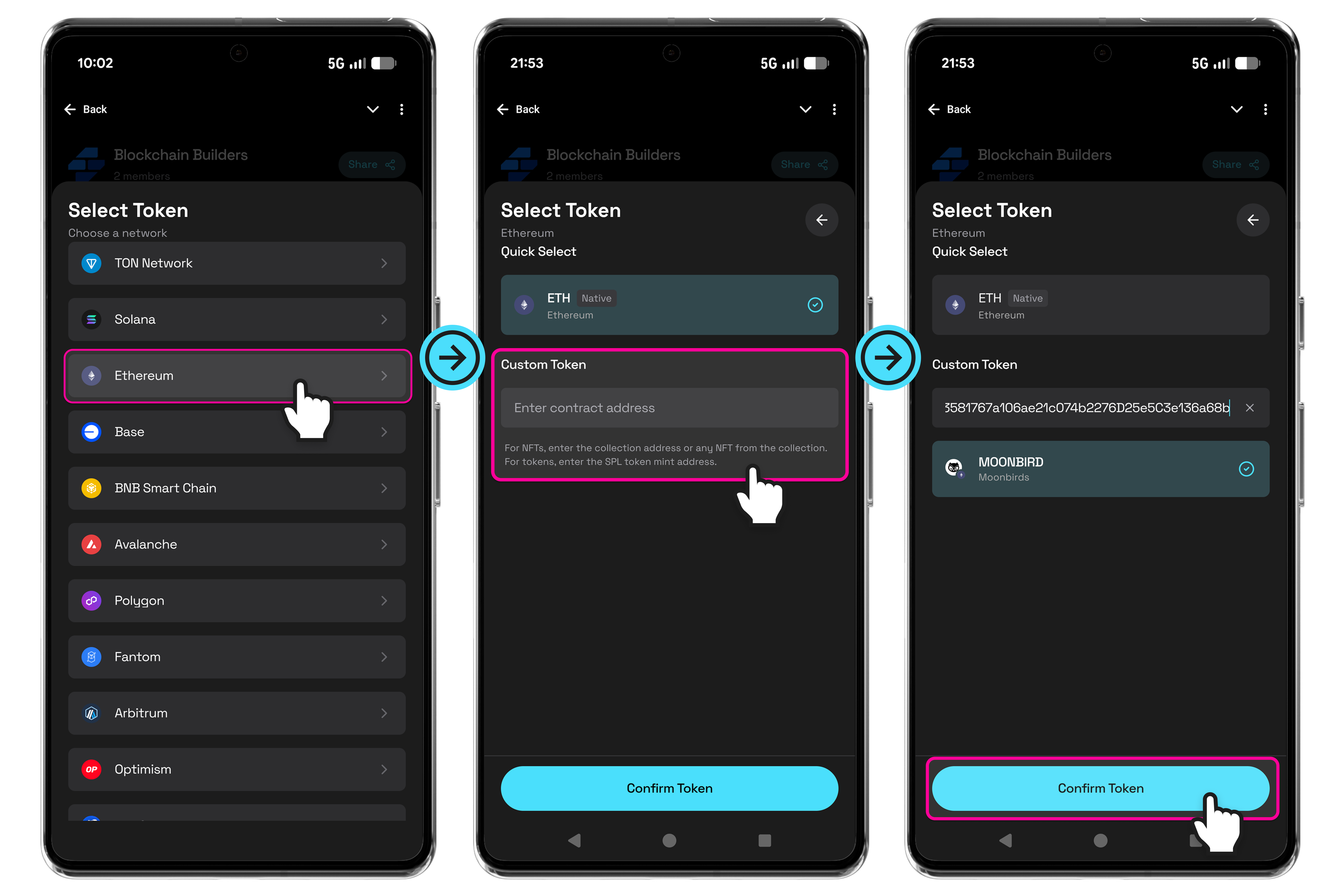
2. When prompted to select a token, choose the **blockchain network** where your custom token or NFT exists.
3. Under **Custom Token**, enter the contract address:
* For NFTs, enter the **collection address** or any NFT address from the collection.
* For tokens, enter the **token contract address**.
4. If the address is valid, the token or NFT details (including the logo) will appear for confirmation.
5. Tap **Confirm Token** to proceed.
#### Set Requirements and Enable Custom Token Gating
Once your custom token or NFT has been confirmed, you can define the access requirements in the same way as standard token gating.
#### Steps
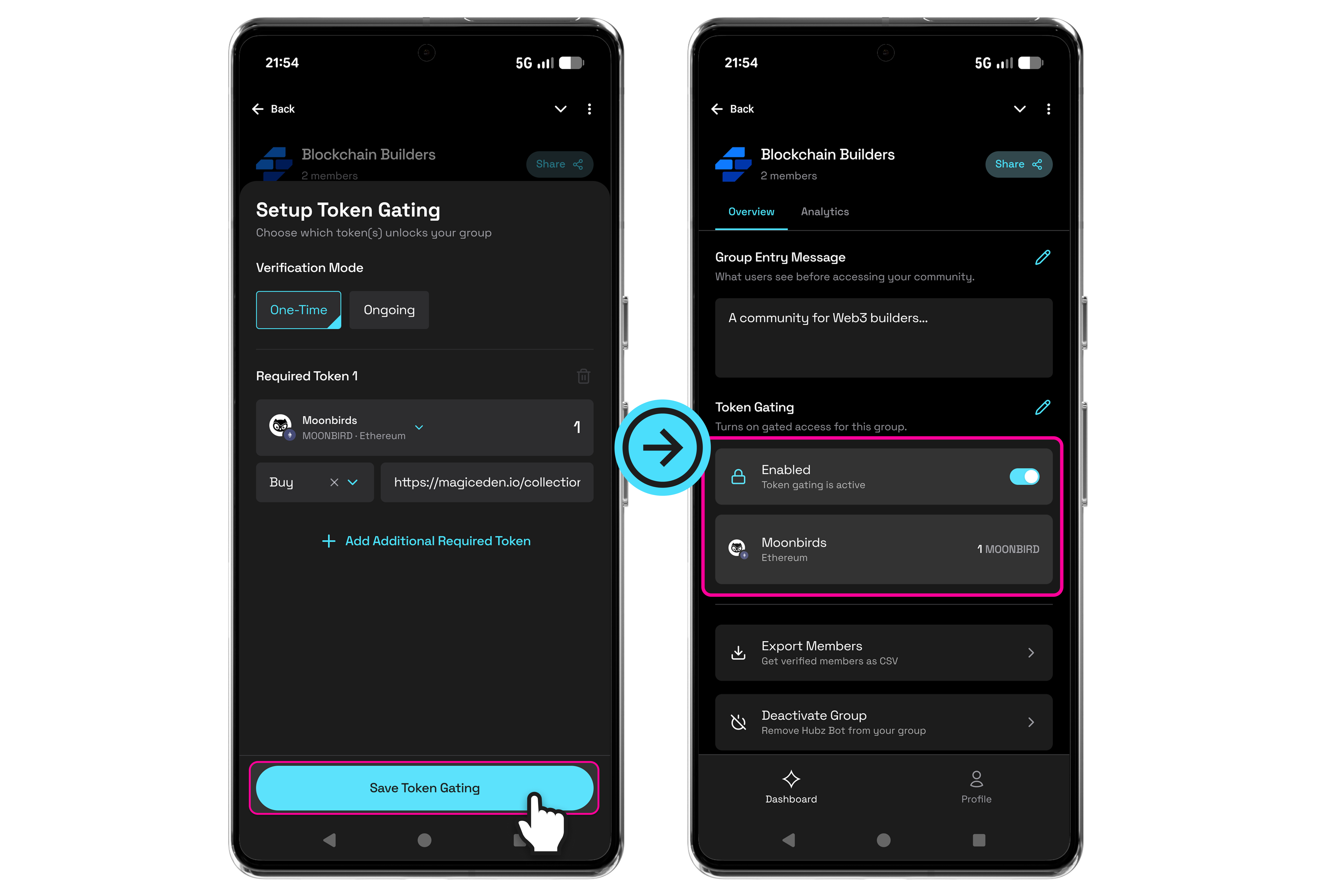
6. Set the required amount of the custom token or NFT that members must hold to gain access.
7. *(Optional)* Apply additional rules or conditions as described in [Add Additional Tokens or Conditions](/hubznetwork/core-modules/gated-group-access-setup/add-additional-tokens-or-conditions.md)
8. Tap **Save** to activate the access rules.
#### Confirmation
After saving, return to **Manage Group**. Token gating will be shown as **Enabled**, and your custom token or NFT requirements will be displayed (including any AND / OR logic) in the group overview. This confirms that gating is active and enforced.
#### Notes
* Custom tokens and NFTs support both **One-Time** and **Ongoing** verification modes.
* Changes apply immediately based on the selected verification method.
* You can also provide **Buy** or **Earn** access links for custom tokens or NFTs